Up and running in 2 minutes2分でセットアップ完了
Four small steps and your next meeting lives in the notch.
4つの小さなステップで、次の会議がノッチに住みはじめます。
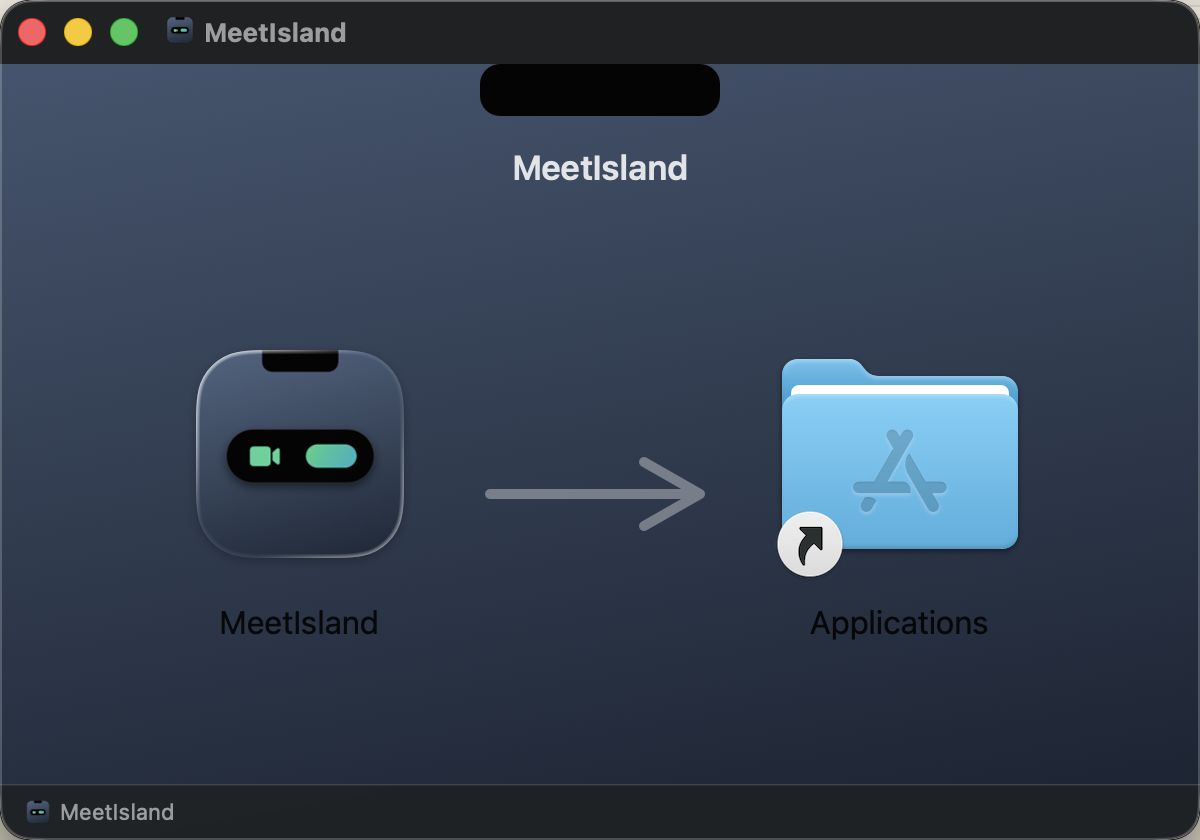
Installインストール
Open the downloaded MeetIsland.dmg and drag MeetIsland into the Applications folder.
ダウンロードした MeetIsland.dmg を開き、MeetIsland を Applications フォルダへドラッグします。
Open it起動する
Launch MeetIsland from Applications. It's notarized by Apple, so it opens without warnings. A calendar icon 📅 appears in your menu bar — that's home.
Applications から MeetIsland を起動します。Apple 公証済みなので警告なしに開きます。メニューバーにカレンダーアイコン 📅 が現れたら起動成功です。
Allow calendar accessカレンダーへのアクセスを許可
On first launch, macOS asks for calendar access. Choose “Allow Full Access” — MeetIsland reads events locally and nothing ever leaves your Mac.
初回起動時に macOS がカレンダーへのアクセスを確認します。「フルアクセスを許可」を選んでください — 予定はローカルで読み取られ、Mac の外へは一切送信されません。
Using Google Calendar? One checkGoogle カレンダー利用者はもう1つだけ
MeetIsland reads the calendars macOS syncs. If your Google events already show in Apple's Calendar app, you're done. If not: System Settings → Internet Accounts → add Google → turn on “Calendars”.
MeetIsland は macOS が同期しているカレンダーを読みます。Apple のカレンダー.app に Google の予定が見えていればこのステップは不要です。見えていなければ: システム設定 → インターネットアカウント → Google を追加 → 「カレンダー」をオン。
That's it — meet your island完了 — あなたのアイランドへ
Your next meeting now sits quietly around the notch and expands with a Join button 3 minutes before start (change the timing from the menu bar icon). Want to see it right now? Menu bar 📅 → Show demo.
次の会議がノッチの両脇に常駐し、開始3分前に参加ボタン付きで展開します(タイミングはメニューから変更可)。今すぐ見たい場合は、メニューバーの 📅 → デモを表示。
Troubleshooting困ったときは
My Mac has no notchノッチのない Mac です
MeetIsland shows a small virtual island at the top center of the screen instead. Everything else works the same. You can pick the display from the menu bar icon → Display.
画面上端中央に小さな仮想アイランドが表示されます。動作は同じです。表示先はメニューの「表示先ディスプレイ」で選べます。
Events aren't showing / are stale予定が表示されない・古い
Check calendar permission (step 3), then Google sync (step 4). Freshness depends on macOS's sync interval — set it to 1–5 minutes. You can also use “Refresh meetings” from the menu.
手順3の権限、手順4の同期を確認してください。反映速度は macOS の同期間隔に依存します(1〜5分ごとを推奨)。メニューの「予定を再読み込み」も使えます。
What happens after the 14-day trial?14日間のトライアルが終わると?
The menu bar meeting list keeps working; island notifications pause until you enter a license key ($6.99 one-time, from the menu bar icon → Buy MeetIsland).
メニューバーの予定一覧は使えたまま、アイランド通知だけが停止します。ライセンスキー($6.99 買い切り、メニューの「MeetIsland を購入…」)の登録で再開します。
Something else?その他の問題
Email us: support@meetisland.app — we read everything.
メールでどうぞ: support@meetisland.app — すべて読んでいます。